Local-first • No uploads • Works on scans
Watermark sensitive documents without uploading them.
Add a diagonal or tiled watermark to PDFs and images. Fast preview, clean output, and your file stays on your device.
No uploads
Processing runs in your browser.
Scanned PDFs
Handles rotation and multi-page docs.
Tiled watermark
Great for IDs, offer letters, and proofs.
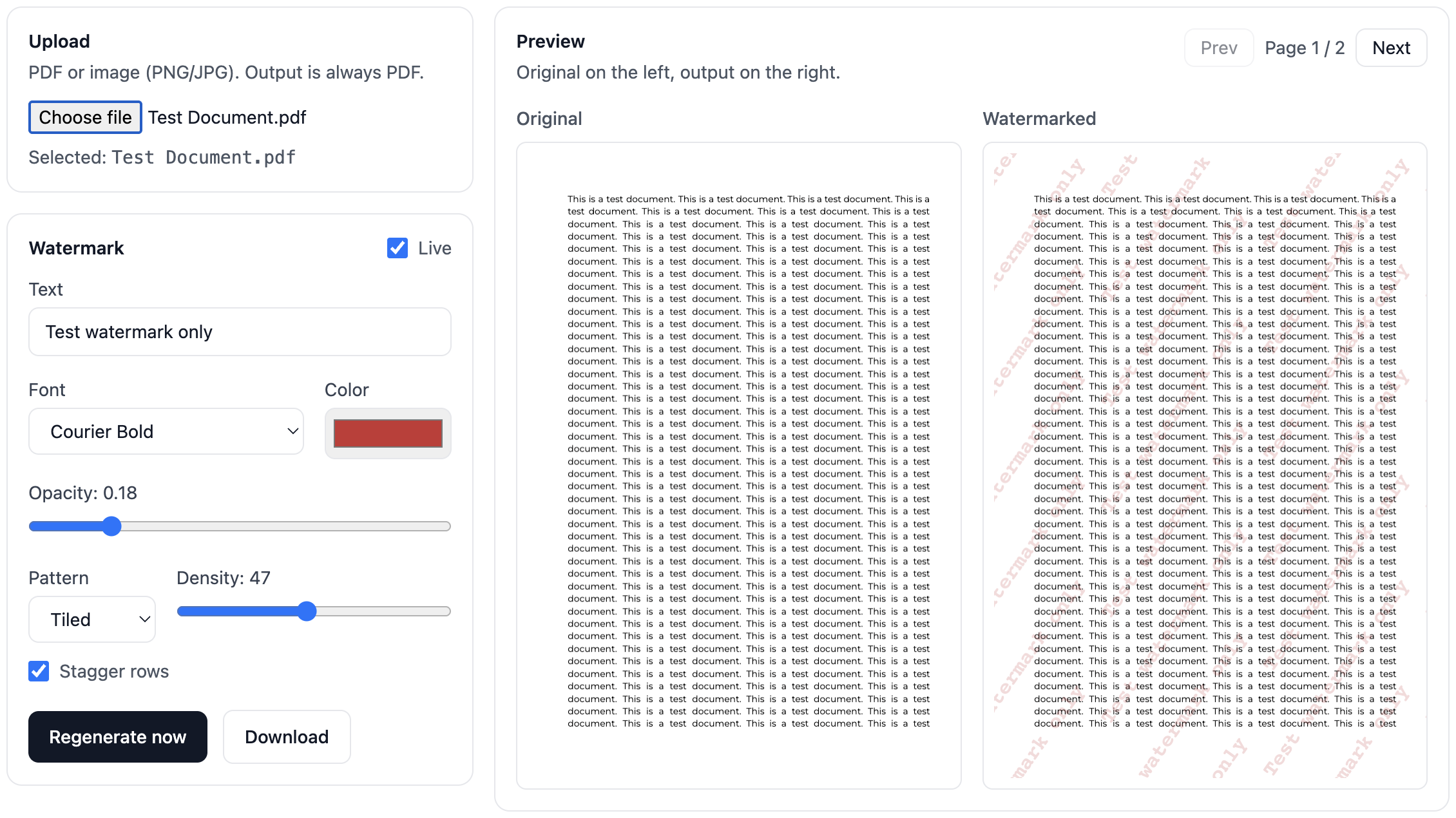
Screenshot from the app running locally in the browser.
Privacy by design
Your document never leaves your device in local mode. There is no server upload, storage, or retention.
Local processing
Watermarking runs entirely in the browser.
No sign-in needed
Use it instantly with no account.
No document analytics
We do not collect or inspect your files.
Simple promise: your file stays on your device. If we ever add cloud features, they will be opt-in and clearly labelled.
FAQ
Do you upload my documents?
No. Watermarking runs locally in your browser. Your file is not sent to a server.
Does it work on scanned PDFs?
Yes. It handles common scan quirks including internal page rotation.
Can I tile the watermark?
Yes. Use tiled mode and adjust density for stronger protection against misuse.
Is this free?
Free during early access. Pro will add presets, variables, batch processing, and offline support.